What it does, step by step.
You describe your institution once. It does the reading from there.
Each step shows its work.
Describe your institution.
Charter, regulator, states, products, entities, size. We can draft the profile from public sources. Drafted facts stay marked unverified until you confirm them, and some will be wrong.
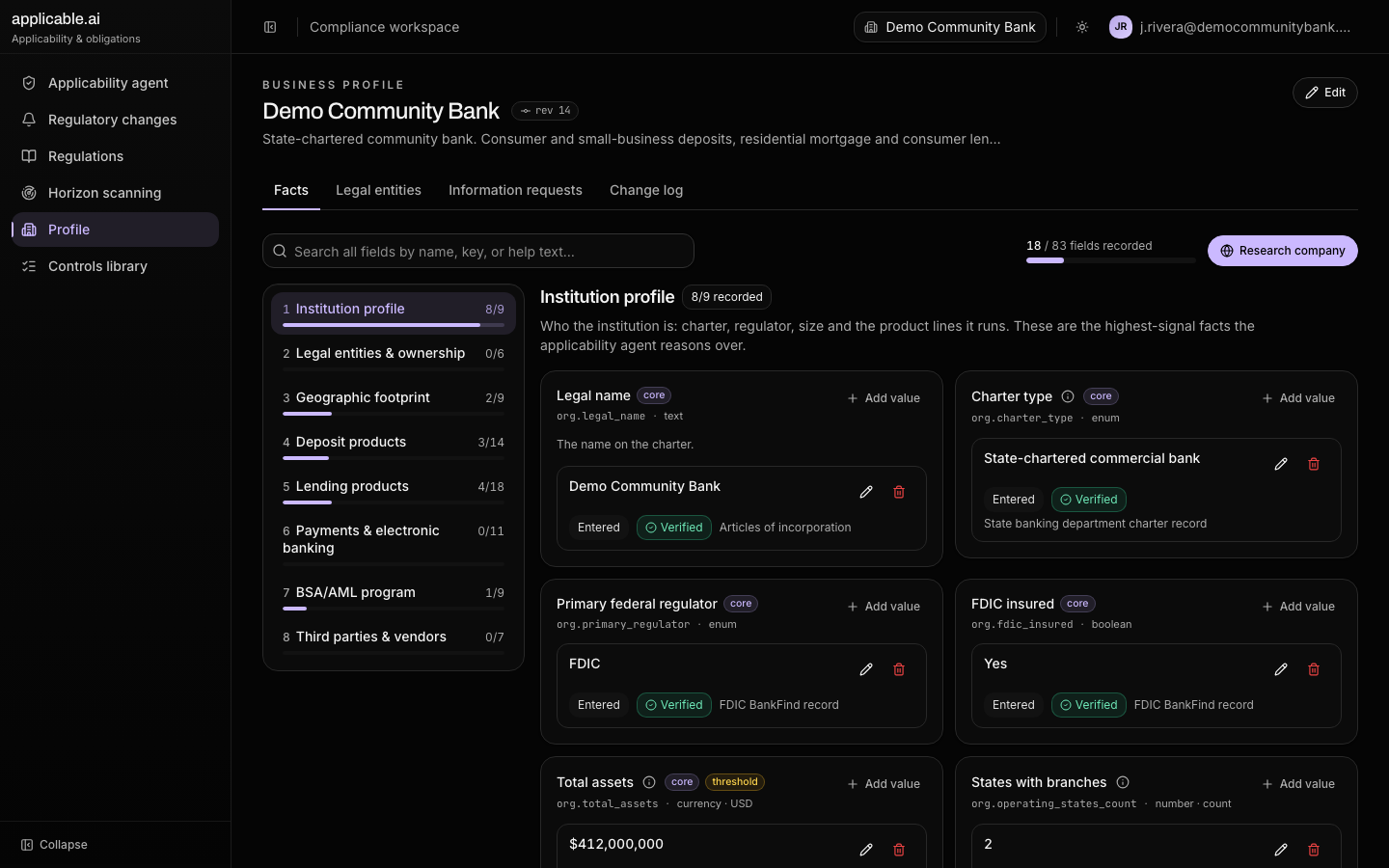
It reads each rule.
Each duty is read once for who it binds and what triggers it, carve-outs included. That reading is kept between runs.
It decides, and shows why.
It checks those conditions against your profile. Numbers like asset size are compared in code. The confidence says how much rested on interpretation.
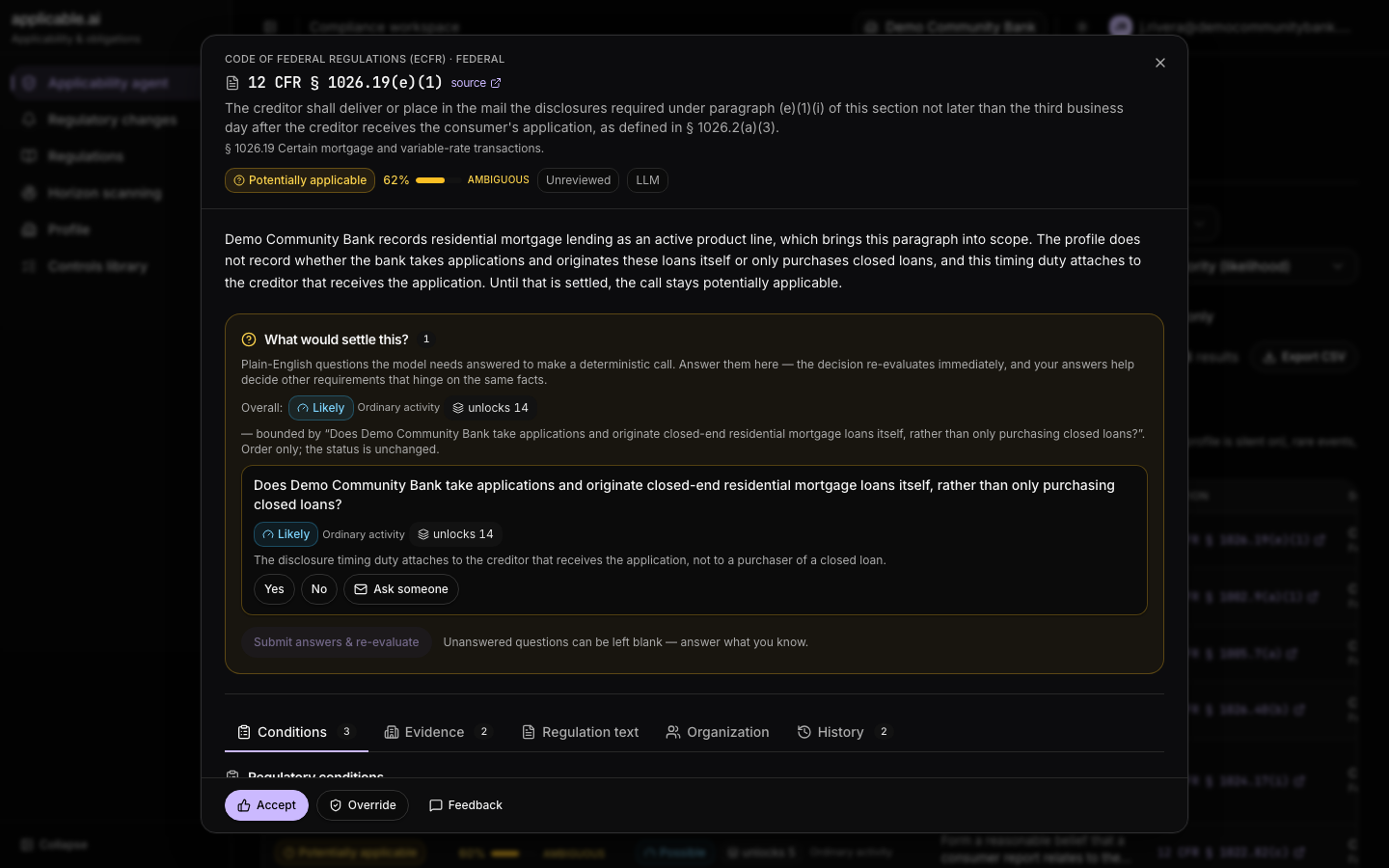
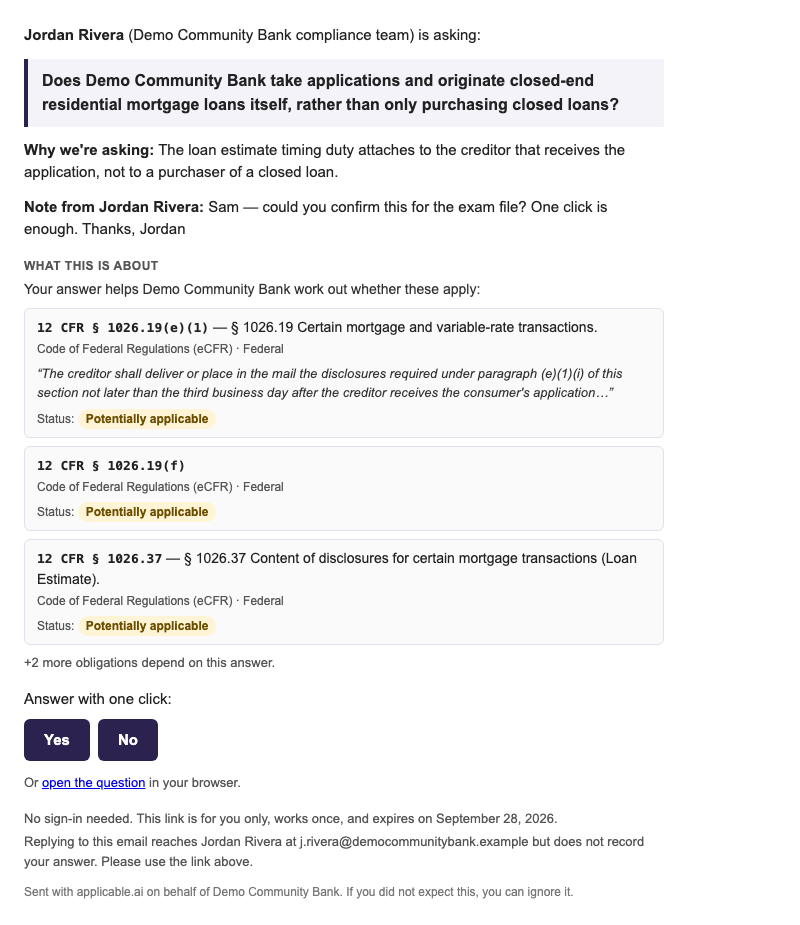
When it can't tell, it asks.
A missing fact becomes a question. Answer it yourself, or send it to whoever knows. They answer from a link and don't need an account.
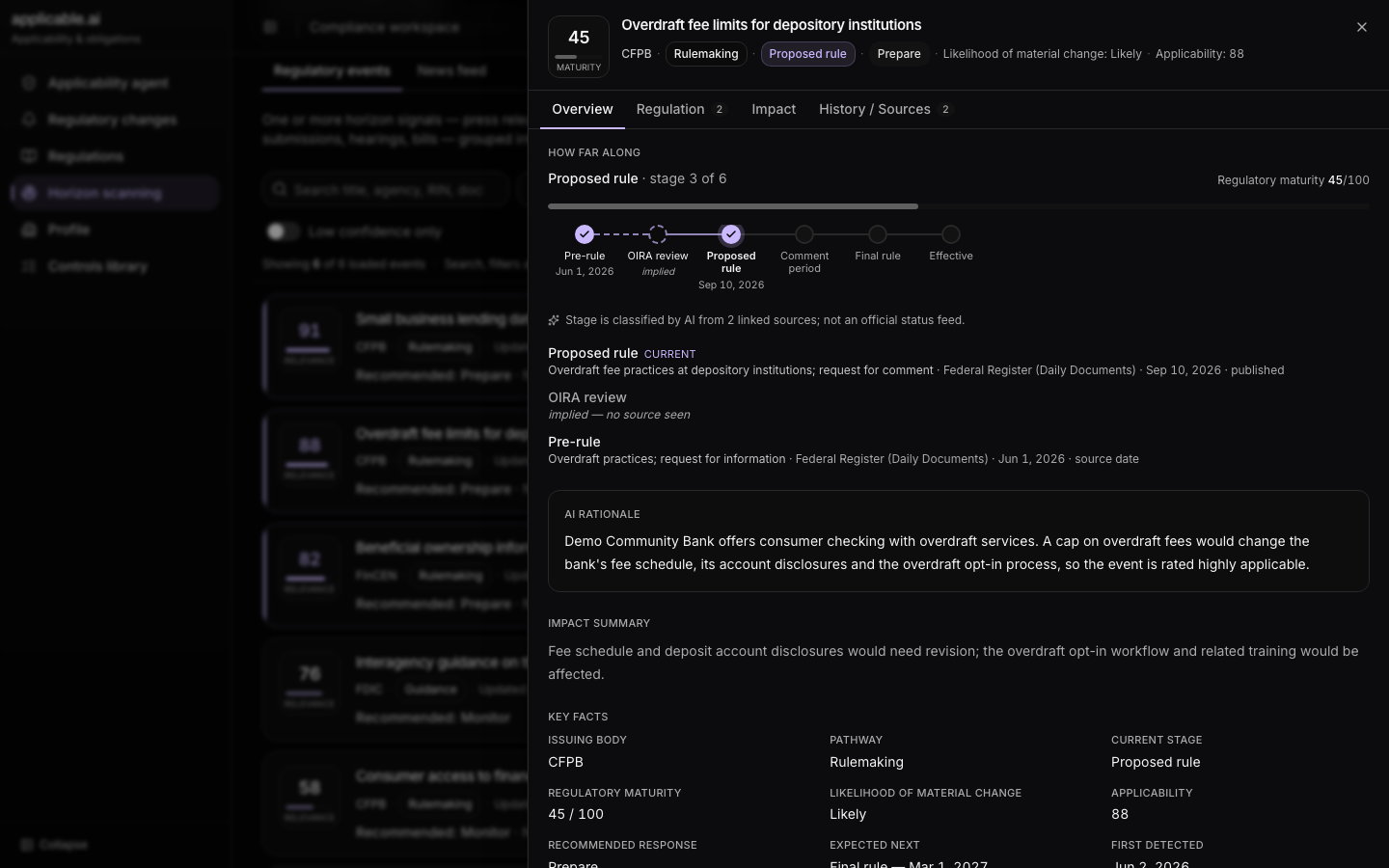
It watches the text.
When a section's text changes, the change is recorded and sorted by whether it matters. Decisions that read the old text wait for you. Proposed rules get a stage bar and a recommended response.
Continuously monitor regulatory developments. Coming soon
It links a change to your controls.
Identifies impacted compliance artifacts and recommends changes or follow-up actions. Coming soon
Today, for a change or a horizon item, it suggests the duties and controls it may touch, with the evidence, and you accept or reject each.
Requirements become controls.
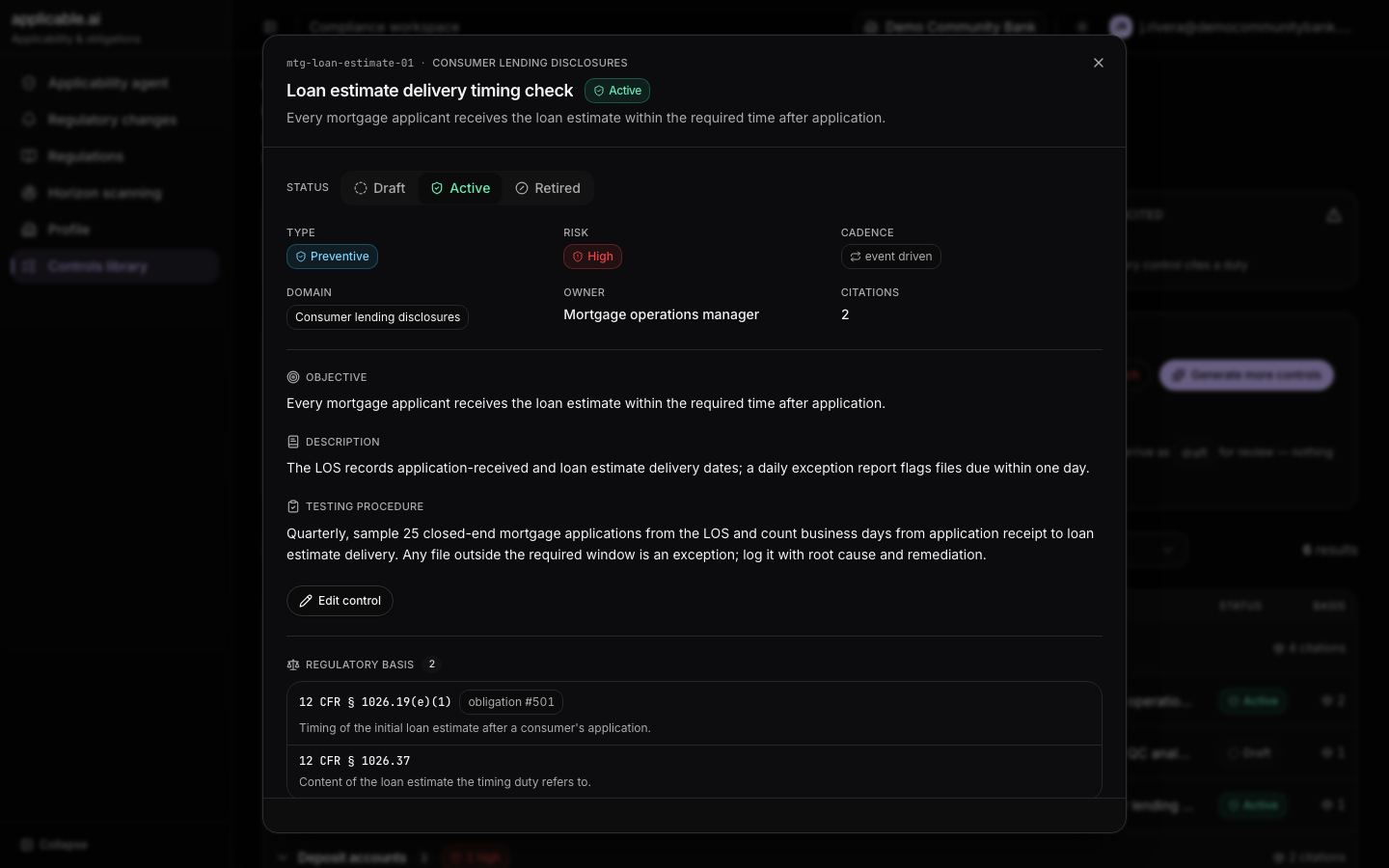
The Coverage Agent works on controls and requirement mappings. Duties that ask for the same thing are grouped. For each group it reuses a control you have, proposes a change to one that nearly fits, or drafts a new one. The proposal waits for you.
You keep the record.
Each accept and override is saved with who did it and when. Your applicability decisions export to CSV.
Export the controls your team has accepted, and their requirement mappings, as CSV for import into your GRC. Coming soon
What it doesn't do.
It connects to a GRC by CSV export only; there's no API. One profile per account, and that profile can hold more than one legal entity. It doesn't attest or grade anything, and nothing counts as reviewed until a person acts on it.
Be the first to know.
We're building a new AI-powered approach to regulatory compliance. Sign up and we'll tell you when access becomes available.
You're on the list. We'll let you know when access becomes available.